How to Build a Custom AI Chatbot for Your Website: A Step-by-Step Guide

Amir Farid
7 min read
Building a custom AI chatbot for your website takes four to eight weeks for most businesses, and the work is mostly planning, not coding. You define what it should do, gather the knowledge it needs, pick a model and a build approach, connect it to your website and live data, then test it and launch. A chatbot that answers from your own content beats a generic one.
1. Decide what the chatbot should do
Most chatbot projects fail at the first step. Teams start with the technology and only later ask what the chatbot is for. Start with the jobs instead.
Start with the jobs, not the technology
Look at the last month of emails and live chat. The top 20 questions usually cover more than half of everything visitors ask. Write each job in one sentence. Our chatbot development team starts every project with this list.
Rule-based, retrieval or full AI agent?
A rule-based bot follows a fixed script, which suits five common questions and nothing else. A retrieval chatbot reads your pages and documents and answers in its own words. A full AI agent goes further and takes actions, such as checking stock or booking a slot. A chatbot and an AI agent are not the same thing, and the agent costs more because every action needs a safe, tested connection.
2. Gather and prepare your knowledge base
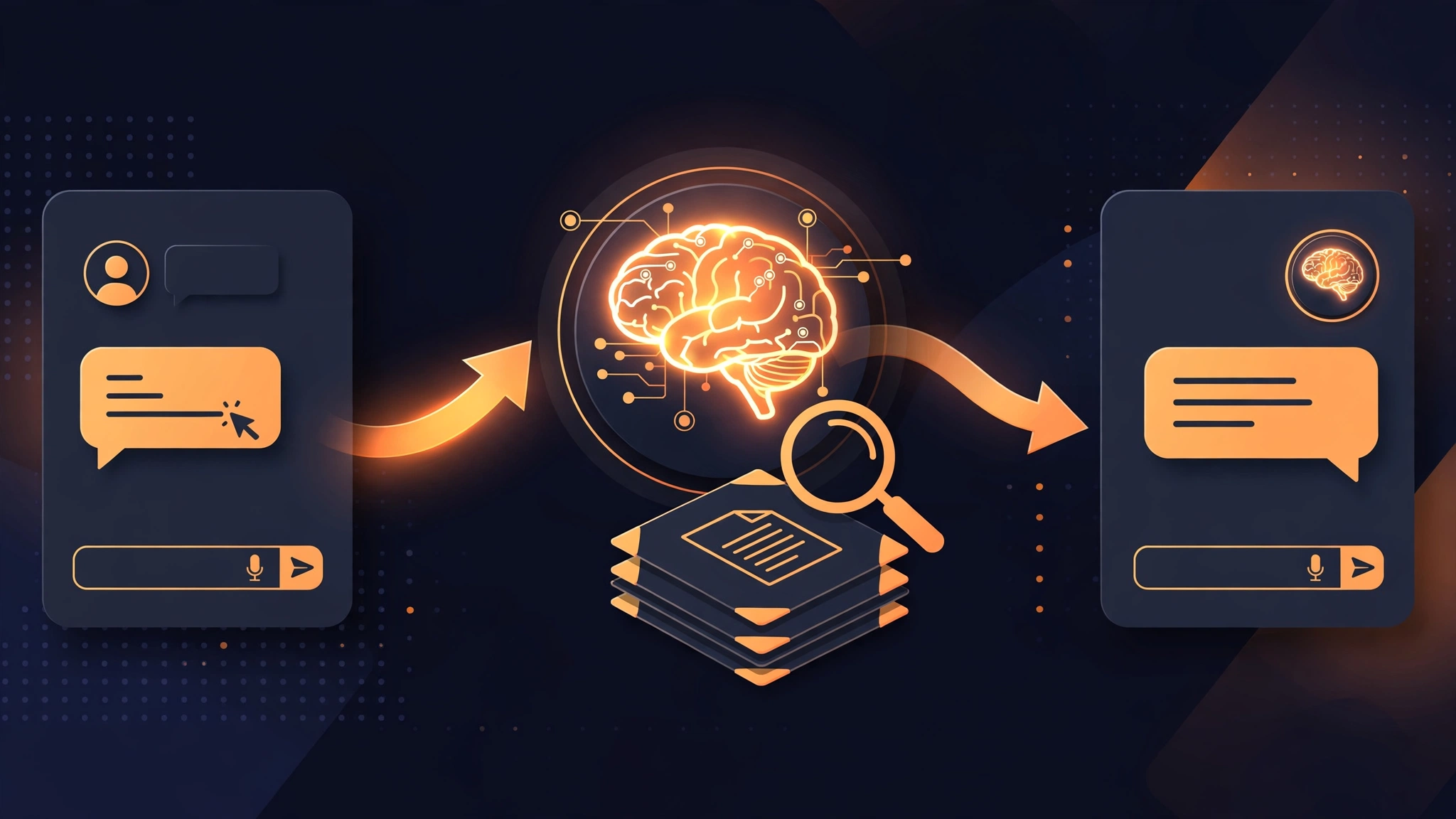
A chatbot is only as good as what it can read. The model knows general facts; it does not know your prices, policies or products.
What good training content looks like
Pull together your service and product pages, price lists, FAQs, and delivery and returns policies. Short, factual pages work best: one topic per page, clear headings, prices as numbers. Our guide to RAG chatbots for business explains how this retrieval step works.
Keep it fresh. A chatbot answering from last year's price list is worse than no chatbot at all. Let it read your live website pages, so a website edit updates the answers automatically. The answers are only trusted while the source content is current, as clinics using AI chatbots know.
3. Choose the model and the build approach
With the jobs and knowledge base defined, the technology choices get easier. You are choosing two things: the model that writes the answers, and how the chatbot is built around it.
Picking the right model
The mainstream models from OpenAI, Anthropic and Google all do the job well. What matters is cost per conversation, speed, and how well the model stays within your content. A smaller model suits FAQs; a stronger one suits orders and bookings. Test two or three models on your own top 20 questions.
No-code builder, framework or custom build
- No-code builder: live in days, a monthly subscription, limited control over design, data and integrations.
- Open-source framework: more control, no per-seat fees, but you host and fix it.
- Custom build: full control over design, knowledge base and integrations, at a higher one-off cost.
A custom retrieval chatbot typically costs £5,000 to £20,000 to build; see our AI agent development cost guide for the UK. Our WhatsApp chatbot cost guide covers that channel, and our WhatsApp bot development service can share the same knowledge base.
4. Design the conversation, and the human handoff
A chatbot is a conversation, not a search box. Visitors judge it in the first two messages.
Tone, personality and ground rules
Write the chatbot a short personality brief. Three ground rules cover most cases: it answers only from your content and says so when it does not know; it never invents prices, dates or promises; and it is honest that it is automated.
The handoff to a human
Every chatbot needs a clean escape route to a person. Set the triggers in advance: words such as refund, complaint, cancel and manager, and any question it cannot answer confidently. The handoff must pass the full conversation to the person, so the visitor never repeats themselves. Outside working hours, it should take a message and promise a reply by a specific time.
5. Connect it to your website and your systems
A chatbot that only answers FAQs is useful. One connected to your live data is the one visitors come back to.
The website widget
The chatbot usually lives in a small widget in the corner of the page. It should load fast, work on mobile, and never cover the call-to-action buttons. Place it where questions happen. Our web development team treats the widget as part of the site, not an add-on. If you sell online, our e-commerce development service wires it into product and checkout pages, and our guide to AI agents for e-commerce shows what that unlocks.
Live data connections
Connections are where a chatbot earns its keep, and where projects most often go over budget. Start with one: order status, appointment availability or stock levels. Each connection needs a safe, read-only API and a clear rule for what the chatbot may change. Actions such as booking need function calling, where the model asks your system to run a defined action; Anthropic documents the same pattern as tool use. Keep a human in the loop for anything that moves money. Our guide to building an AI voice agent covers the voice side.
6. Test it like a customer would
Testing is where a chatbot project is won or lost. A demo that answers five friendly questions proves nothing.
A test list that catches real failures
Build a list of at least 50 test questions before launch, drawn from real customer messages. Include the hard cases: prices with conditions, "do you deliver to my area?", two questions in one message, typos and slang, and questions about things you do not sell. Score each answer as correct, wrong or "did not know", and fix the knowledge base before blaming the model: most wrong answers trace back to missing or unclear source content. Also test the edges: what happens when the model is down. A chatbot that fails gracefully keeps the visitor; one that spins silently loses them.
7. Launch, measure and keep improving
Launch small, measure honestly, and improve in weekly cycles.
Measuring what matters
Ignore vanity numbers. The figures that matter are resolution rate, the questions it could not answer, and the handoff rate. Read the unanswered questions every week: they are your content roadmap. Weekly reviews get steadily better results, as our guide to AI agents for small business automation explains.
Cost, timeline and upkeep. For a typical small business website, expect four to eight weeks to launch, and a monthly running cost in the low hundreds of pounds. Volume is the main cost driver: 500 conversations a month costs far less than 10,000. Budget a few hours a month for upkeep. Our AI automation and AI agent development services both include that review cycle. If you connect it to other tools, our n8n vs Make vs Zapier comparison covers the usual choices. And if the chatbot is part of a bigger product, our SaaS MVP cost guide will help you scope the rest.
Frequently asked questions
How long does it take to build a custom AI chatbot for a website?
A basic retrieval chatbot takes two to four weeks; a custom one connected to your systems usually takes four to eight weeks. The biggest variable is how ready your content is.
How much does a custom AI chatbot cost?
A custom build typically costs £5,000 to £20,000 depending on integrations, with monthly running costs in the low hundreds of pounds.
Do I need to train my own AI model?
No. Almost every business chatbot uses a hosted model and connects it to its own content, an approach called retrieval.
Will a chatbot replace my support team?
No. A good chatbot clears the routine 60 to 80 percent of questions so your team can spend their time on the conversations that need judgement.
Ready to build one? Start with the jobs list: the 20 questions your visitors already ask. Bring that list to a free AI consultation with Coheser and we will tell you honestly whether a retrieval chatbot, a full AI agent, or a simpler fix is right for your website. If you want your business to be found by AI search too, our guide to getting cited by ChatGPT is a good next read.