FBR & PRA Integrated Restaurant POS in Pakistan: The 2026 Owner's Guide

Amir Farid
9 min read

Quick answer: If you run a restaurant in Pakistan, your POS now has to talk to the tax authority in real time. In Punjab that means PRA's e-invoicing system; in Islamabad it's FBR; in Sindh it's SRB; in Khyber Pakhtunkhwa it's KPRA. Every bill should carry a fiscal invoice number and a QR code the customer can verify. Since 1 July 2026, Punjab restaurants charge 16% on cash and 8% on card, wallet or QR payments, so your POS also has to apply the right rate based on how the guest pays.
We build restaurant software for a living, and the most common call we get from owners isn't "can you add a feature?" It's "I got a notice, what do I do?" This guide is the answer we wish we could send every one of them before that notice arrives. It's written for owners and managers, not tax lawyers. If you want the statute numbers, we link to them. If you want to know what to actually change at your counter this week, read on.
What "FBR integrated" or "PRA integrated" actually means
An integrated POS is a billing system that sends every sale to the tax authority's server the moment it's made. The authority sends back a unique fiscal invoice number, your POS prints it on the bill along with a QR code, and the customer (or an inspector) can scan that code to confirm the sale was reported.
That's it. It isn't a special machine and it isn't a separate app you run next to your existing software. It's your normal POS with a live connection to the tax server built into the checkout step.
Where it gets confusing is that Pakistan doesn't have one authority for restaurants. Sales tax on restaurant services is provincial, so which system you connect to depends on where each branch sits:
| Branch location | Authority | System | Commonly applied restaurant rate |
|---|---|---|---|
| Punjab (Lahore, Faisalabad, Multan…) | PRA | e-Invoice Monitoring System (eIMS) | 16% cash · 8% card/wallet/QR (from 1 July 2026) |
| Islamabad Capital Territory | FBR | FBR POS integration (IMS) | 16% cash · 5% card |
| Sindh (Karachi, Hyderabad…) | SRB | SRB ePOS gateway | 15% cash · 8% card |
| Khyber Pakhtunkhwa (Peshawar…) | KPRA | RIMS | Reduced rate with RIMS integration |
Rates change in almost every budget, so treat the table as a starting point and confirm the current notification with your tax consultant. A good POS lets you edit these rates in settings without calling the developer.
What changed in 2026, and why owners are getting notices
Two things landed this year that pushed a lot of restaurants from "we'll do it later" to "we needed it yesterday."
1. Punjab's card rate went from 5% to 8%
Under the Punjab Finance Act 2026, the reduced rate for card and digital payments at restaurants rose from 5% to 8% from 1 July 2026, while cash bills stay at 16% (ProPakistani reported the change, and PRA directed businesses to update their billing systems). If your POS still has a hard-coded 5%, every card bill you print is wrong. Worse, if your cashier picks the payment method after printing the bill, the tax on that bill is wrong too. The rate has to follow the payment method, not the other way round.
2. FBR's Tier-1 penalties got real teeth
For businesses under FBR (including Islamabad restaurants), the rules for Tier-1 retailers are strict. You count as Tier-1 if you meet any one of several tests, for example being part of a national or international chain, sitting in an air-conditioned mall or plaza, or crossing an electricity-bill threshold. Penalties for not integrating escalate from Rs 500,000 for a first default up to Rs 3 million, and repeated failure can lead to the premises being sealed. Non-integrated Tier-1 businesses also lose a large share of their input tax adjustment (BACO Consultants has a detailed breakdown).
FBR also adds a Re 1 POS service fee per invoice, which your POS should print as a separate line.
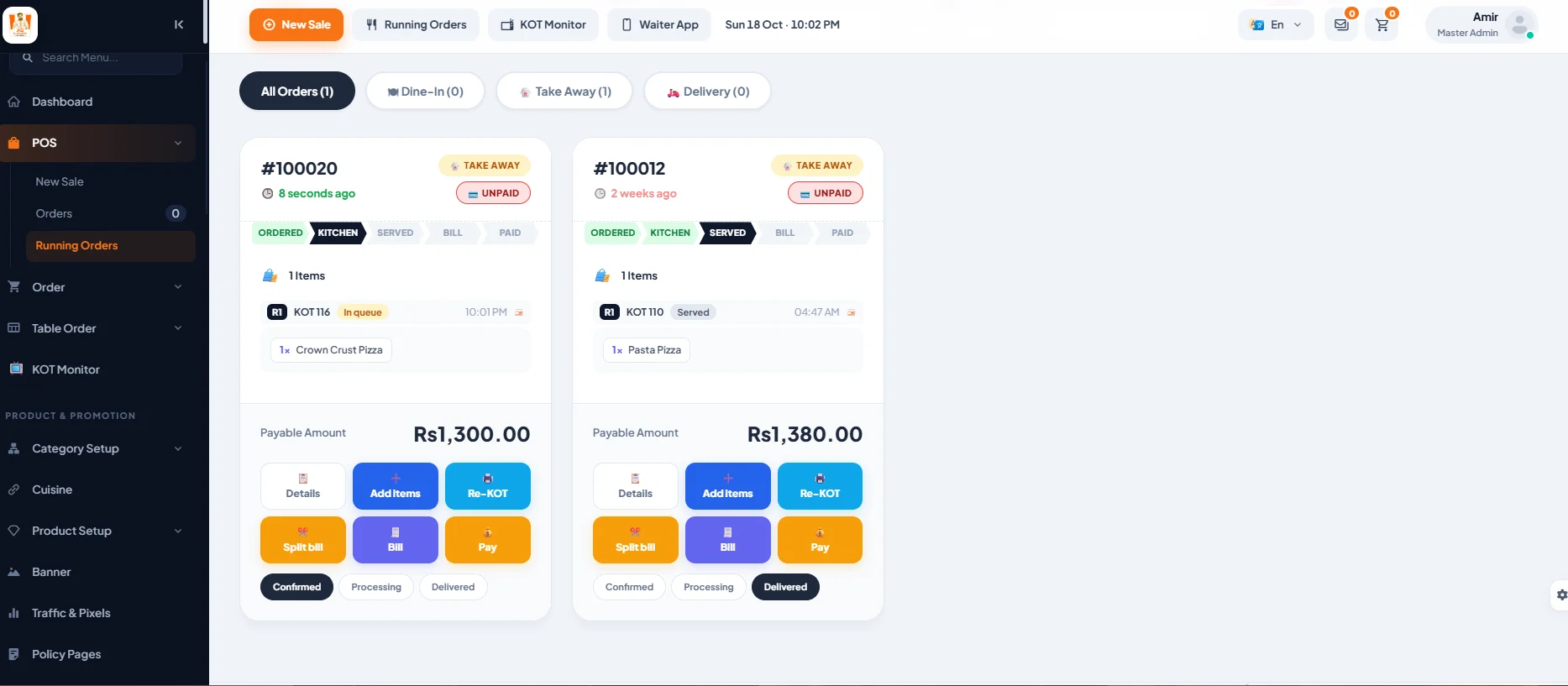
The five things your POS has to get right
We've audited a lot of "integrated" systems that technically send data but still get restaurants into trouble. These are the five checks we run first.
- Tax follows the payment method. The fiscal invoice should be created when the bill is paid, with the rate for cash or card applied at that moment. Split payments (part cash, part card) need to be handled properly, not rounded into one method.
- It works when the internet doesn't. Lahore load-shedding and a flaky PTCL line are facts of life. A good POS keeps billing offline, queues the invoices, and posts them to PRA or FBR automatically when the connection returns. If your system freezes the counter until the internet is back, staff will start writing manual bills, and manual bills are exactly what inspectors look for.
- Failed posts are visible and retried. Somebody should be able to open a screen and see "3 invoices waiting, last retry 2 minutes ago". Silent failures are the worst kind.
- Each branch reports to the right authority. If you have a branch in Lahore and one in Islamabad, they report to different systems with different credentials and different rates. The POS should handle that per branch, from one admin panel.
- Refunds and voids are reported too. Cancelling a paid bill isn't just deleting a row. Some authorities expect a credit note. If your POS lets a cashier delete paid bills with no trace, that's a compliance problem and a theft problem at the same time.
How the integration process works, step by step
The exact screens differ between PRA, FBR, SRB and KPRA, but the shape is the same everywhere:
- Register and declare your outlets. You need an active registration (NTN and, where applicable, the provincial registration). Each branch and each billing counter is declared with the authority.
- Get your POS ID and credentials. The authority issues an ID per POS and an access token or username and password.
- Configure the POS. Your software provider enters those credentials per branch and sets the correct rates.
- Test in sandbox. Every authority has a test environment. Send a few test invoices, check the QR prints and scans correctly.
- Go live and monitor. Switch to production, then keep an eye on the failed-invoice queue for the first few weeks.
For a single branch that already has its registrations in order, the technical part usually takes a day or two. What takes time is the paperwork and getting staff to stop using the old habits.
Integrated POS vs. "a POS plus a tax app"
Some vendors sell you a separate device or a separate app that only handles the tax side, while billing stays on your old software. It looks cheaper on day one. In practice, someone has to enter every sale twice, the totals drift apart, and the first time an inspector compares your Foodpanda payouts with your reported sales, the gap becomes a conversation you don't want to have.
The better setup is one system where the fiscal invoice is a by-product of normal billing. Your cashier presses "Pay", the bill prints with the QR, and nobody thinks about tax again. That's how we built the tax module in Coheser Restaurant ERP: PRA, FBR, SRB and KPRA (plus ZATCA for Saudi Arabia) are settings per branch, and failed posts retry on their own.
Don't forget delivery apps
Foodpanda orders are sales too. If they're punched into a separate tablet and never reach your POS, they're either missing from your tax reporting or entered manually later, which is slow and error-prone. Integrating aggregator orders into the same POS means they get fiscal invoices, deduct stock and show up in your reports like any other order. We wrote a separate piece on what a full restaurant ERP adds beyond billing if you're weighing that up.
A 10-minute self-check for your restaurant
- Print a card bill and a cash bill. Is the tax different, and is each rate correct for your province?
- Does every bill show a fiscal invoice number and a QR code? Scan the QR. Does it verify?
- Pull your network cable and make a sale. Does the POS keep working? Plug it back in. Does the invoice post on its own?
- Can you see a list of invoices that failed to post?
- Try to delete a paid bill as a cashier. Can you? (You shouldn't be able to.)
- Are your Foodpanda orders in the same sales report as your counter orders?
If you answered "no" or "not sure" to two or more of these, it's worth fixing before someone else points it out.
What it costs
Pricing in the Pakistani market ranges widely: basic single-counter POS subscriptions are cheap, while multi-branch systems with kitchen screens, inventory and accounting cost more. The authority fees themselves are small. The expensive part is getting it wrong: penalties, lost input tax, and the staff time spent reconciling two systems. When you compare vendors, ask for a live demo where they print a fiscal bill from your province's sandbox in front of you.
Frequently asked questions
Is PRA integration mandatory for every restaurant in Punjab?
PRA requires registered restaurants and other service providers to report sales through its e-invoicing system, and it has steadily widened who must comply. If you're registered with PRA, assume you need it and confirm your specific case with your consultant.
Can one POS handle a Lahore branch and an Islamabad branch?
Yes, if it supports per-branch authorities. The Lahore branch posts to PRA and the Islamabad branch posts to FBR, each with its own credentials and rates, while you see combined reports.
What happens to bills made while the internet is down?
A properly built offline-first POS stores them locally and posts them as soon as the connection returns. The bill printed offline should still be valid, and the fiscal number is attached when the post succeeds, depending on the authority's rules.
How does the customer verify the bill?
By scanning the QR code on the receipt. For FBR invoices, customers can also check through FBR's invoice verification service or the Tax Asaan app.
Do Foodpanda orders need fiscal invoices?
They're part of your sales, so they should be reported. The cleanest way is to bring Foodpanda orders into your POS so they're invoiced and reported like any other order.
This article is general guidance, not tax or legal advice. Rates and rules change with each budget; confirm current requirements with PRA, FBR, SRB or KPRA, or a qualified tax consultant.